Strix Halo 128GB for Local AI: 64GB, 96GB or 128GB?
For most local AI users, 64 GB is enough. Strix Halo 128 GB becomes increasingly worthwhile when you regularly run 32B-class and larger models, use higher-precision quantisation, work with long context windows, or keep multiple AI workloads in memory simultaneously.
The reason Strix Halo is interesting for local AI isn't simply that it comes with 128 GB. It's how that memory is connected to the CPU and GPU.
Unlike a conventional PC with separate system RAM and GPU VRAM, Strix Halo uses a shared LPDDR5X memory pool. The Ryzen AI Max+ 395 connects to that memory through a 256-bit interface, with up to roughly 256 GB/s of theoretical bandwidth.
That changes the equation for local AI: memory capacity determines which models you can fit, while bandwidth has a much bigger say in how quickly those models run.
This article breaks down what Strix Halo 128 GB means for local AI, when 64 GB, Strix Halo 96 GB, or the full 128 GB is sufficient, and how to decide which memory tier fits your workload.
What Is a Strix Halo 128 GB Mini PC?
Strix Halo is AMD's Ryzen AI Max+ 395 platform — a single-chip design that integrates a 16-core Zen 5 CPU, Radeon 8060S graphics (40 compute units, RDNA 3.5), an XDNA 2 NPU (50 TOPS), and up to 128 GB unified memory using LPDDR5X-8000 on a 256-bit interface. The memory is not ordinary system RAM — it is a shared physical pool that both CPU and GPU can access.
However, 128 GB of physical unified memory does not mean 128 GB is permanently available to the GPU. The actual capacity usable for GPU or AI workloads depends on operating system reservation, firmware configuration, UMA allocation settings, and runtime memory demands. In practice, a significant portion of the pool is available for AI inference, but the exact figure varies by system configuration.

In a traditional PC, the CPU uses system RAM (DDR4 or DDR5) and a discrete GPU uses dedicated VRAM (GDDR6). These are physically separate memory pools. A conventional discrete GPU has a fixed amount of dedicated VRAM, and system RAM is accessed differently — it is not equivalent to on-GPU VRAM in terms of bandwidth or latency. An RTX 4060 with 8 GB VRAM cannot fit a 32B model entirely in VRAM, regardless of how much system RAM the PC has. Layer offloading to the CPU is possible with frameworks like llama.cpp, but it dramatically slows inference.
Strix Halo's unified memory architecture addresses this bottleneck. The GPU accesses the same physical memory pool as the CPU, which means large models can be loaded without splitting across separate memory tiers.
| Component | Strix Halo (AMD Ryzen AI Max+ 395 128 GB) | Traditional Mini PC |
|---|---|---|
| CPU | 16C/32T Zen 5 | Typically 6 to 8 cores |
| Integrated GPU | Radeon 8060S, 40 CU, RDNA 3.5 | Smaller iGPU, 8 to 16 CU |
| Memory type | LPDDR5X-8000, unified, 256-bit | DDR5 SO-DIMM, 128-bit, shared with smaller iGPU |
| Max memory | 128 GB (soldered, non-upgradable) | 64 to 128 GB (SO-DIMM, upgradable) |
| Theoretical bandwidth | ~256 GB/s | ~89.6 GB/s (DDR5-5600 dual-channel) |
| GPU memory access | Large unified pool, firmware-dependent allocation | Shared system memory, lower bandwidth, smaller iGPU |
Source: AMD Ryzen AI 300 Series processor specifications, including the Ryzen AI Max family. amd.com.
The trade-off: Strix Halo memory is soldered LPDDR5X — it cannot be upgraded after purchase. A 128 GB AMD Strix Halo AI Mini PC configuration is fixed at purchase time. This is why choosing the right capacity upfront matters more than with a traditional Mini PC where you can add RAM later.
Capacity vs Bandwidth: The Two Variables That Matter
Understanding Strix Halo 128 GB requires separating two concepts that are often conflated: memory capacity and memory bandwidth. These two variables answer fundamentally different questions.
| Capacity (128 GB) | Bandwidth (~256 GB/s) |
|---|---|
| Can the model fit in memory? | How quickly can the model generate tokens? |
| Can you use higher-precision quantisation (Q8)? | How fast is prompt processing? |
| Can you extend context windows? | GPU memory throughput for inference |
| Can you run multiple models simultaneously? | Affected by backend (ROCm, Vulkan), quantisation, model architecture |
| Can you keep RAG services resident? | Not directly improved by adding more capacity |
Interpretation: capacity and theoretical bandwidth describe different limits; actual LLM performance also depends on model architecture, quantisation, context length, memory access pattern, GPU utilisation, and inference backend. See llama.cpp documentation.
It's easy to look at 128 GB and assume the larger configuration must be faster. It isn't. Adding more memory capacity does not inherently make the same model generate tokens faster — bandwidth, model architecture, quantisation format, context length, KV cache behaviour, and inference backend (ROCm, Vulkan, llama.cpp) all contribute to actual inference speed.
For memory-bound LLM generation — the phase where the model produces output tokens one at a time — memory bandwidth is one of the major factors affecting tokens-per-second. But it is not the only factor. Prompt processing (pre-fill), model architecture (dense vs MoE), and GPU utilisation all play significant roles.
How Much Memory Do Different LLMs Need?
Before choosing between 64 GB, 96 GB, and 128 GB, it helps to understand how much memory different LLMs actually consume. The numbers below represent approximate model weight footprints at common quantisation levels — not total runtime memory. Actual runtime usage is higher because it includes KV cache, operating system overhead, inference framework buffers, and any parallel applications.

| Model | Quantisation | Approx. Weights | 64 GB | 96 GB | 128 GB |
|---|---|---|---|---|---|
| Qwen 3.5 7B | Q4_K_M | ~5 GB | Yes | Yes | Yes |
| Qwen 3.5 14B | Q4_K_M | ~10 GB | Yes | Yes | Yes |
| Qwen 3.5 30B-A3B (MoE) | Q4_K_M | ~18 GB | Yes | Yes | Yes |
| Qwen 3.5 32B (Dense) | Q4_K_M | ~20 GB | Yes | Yes | Yes |
| Qwen 3.5 32B (Dense) | Q8_0 | ~35 GB | Tight | Yes | Yes |
| Llama 3 70B (Dense) | Q4 | ~40 GB | Tight | Yes | Yes |
| Qwen 3.5 122B-A10B (MoE) | Q4_K_XL | ~65 GB | No | Tight | Yes |
Capacity guidance: approximate model-weight footprints and runtime considerations. Actual requirements vary with quantisation, KV cache, context length, backend, and operating system. MoE model data: r/LocalLLaMA community benchmarks on Strix Halo (llama.cpp, ROCm 7.2, 30k context). reddit.com/r/LocalLLaMA.
The Qwen 3.5 122B-A10B figure (~65 GB) comes from a specific community benchmark using Q4_K_XL quantisation with llama.cpp on Strix Halo hardware. It should not be generalised to all 120B-class MoE models — actual memory consumption varies with quantisation format, backend, and context length. The key takeaway is that models in this size class require substantially more memory than 64 GB systems can provide.
Strix Halo Mini PC: 64 GB vs 96 GB vs 128 GB
Not every Strix Halo buyer needs 128 GB. The right capacity depends on the models you plan to run, how many AI components you use simultaneously, and how long your typical context windows are.

| Memory Tier | Best For | Recommendation |
|---|---|---|
| 64 GB | 7B–32B Q4, coding, RAG, everyday AI | Cost-effective for most users |
| 96 GB | 32B Q4/Q8, larger context, multi-model workloads | Balanced for serious AI users |
| 128 GB | 70B+, 100B+ MoE, Q8/Q6, very long context, multiple models | For dedicated local AI workstations |
Capacity recommendations are planning guidance, not guaranteed model limits. Model files, KV cache, runtime buffers, operating system memory, and background applications all affect whether a workload fits. Model references: Hugging Face Models.
128 GB becomes increasingly useful as you move beyond 32B models, use higher-precision quantisation like Q8, extend context windows above 16k tokens, or run multiple models simultaneously. Below 32B with standard context, 64 GB is generally sufficient.
For the same model and workload, 64 GB and 128 GB configurations have broadly similar memory-bandwidth-limited inference performance. The 128 GB configuration does not inherently generate tokens faster simply because it has more memory. The advantage is entirely about what fits — not how fast it runs once loaded.
Strix Halo Mini PC 128 GB vs Traditional 128 GB Mini PCs
The discussion around Strix Halo 128 GB has made many users aware that memory capacity is the deciding factor for local AI. But Strix Halo is not the only way to get 128 GB in a compact form factor. A traditional Mini PC with DDR5 SO-DIMM slots can also reach 128 GB — but the architecture is fundamentally different.
Strix Halo 128 GB
- 128 GB LPDDR5X-8000 unified memory (CPU + GPU share one physical pool)
- ~256 GB/s theoretical bandwidth (256-bit interface)
- Large 40 CU GPU accesses the shared pool directly
- Compact form factor, lower power draw
- Memory is soldered — not upgradable
Traditional 128 GB Mini PC
- 128 GB DDR5 SO-DIMM (system memory, shared with smaller iGPU)
- ~89.6 GB/s bandwidth (128-bit interface)
- Smaller iGPU (8 to 16 CU) shares system memory at lower bandwidth
- RAM is user-upgradable — start small, expand later
- Lower bandwidth means slower memory-bound LLM generation
Both architectures share system memory between CPU and iGPU — the difference is scale. Strix Halo pairs a large 40 CU GPU with high-bandwidth LPDDR5X (256-bit, ~256 GB/s). A traditional DDR5 Mini PC pairs a smaller iGPU with lower-bandwidth DDR5 (128-bit, ~89.6 GB/s). For running 7B to 14B models, the bandwidth difference has limited practical impact. For running 32B+ dense models where memory bandwidth is a primary bottleneck during generation, Strix Halo's LPDDR5X-8000 provides a measurable advantage.
Ryzen AI 9 HX 470 Mini PC: A Different 128 GB Option
If your priority for a Mini PC for AI is upgradeability rather than maximum unified-memory bandwidth, the ACEMAGIC F5A offers a fundamentally different approach to reaching 128 GB in a Mini PC form factor.
The F5A is not a Strix Halo system. It uses the Ryzen AI 9 HX 470 processor (12C/24T, 4x Zen 5 + 8x Zen 5c) with Radeon 890M graphics (16 CU, RDNA 3.5) and an XDNA 2 NPU (55 TOPS). Instead of soldered LPDDR5X, it provides two DDR5 SO-DIMM slots supporting DDR5-5600, up to 128 GB of user-installable memory.

The key distinction: the F5A's 128 GB is primarily a system-memory capacity advantage. It does not provide the same large unified GPU memory pool as Strix Halo. The Radeon 890M iGPU shares system memory like any conventional APU, but the Strix Halo AI Mini PC provides a much larger unified pool with higher bandwidth (~89.6 GB/s vs ~256 GB/s) and with fewer GPU compute units (16 vs 40). This means LLM inference on the F5A relies more heavily on CPU offloading and will be slower for large models than Strix Halo.
| Specification | Strix Halo 128 GB | ACEMAGIC F5A 128 GB |
|---|---|---|
| CPU | Ryzen AI Max+ 395 (16C/32T, all Zen 5) | Ryzen AI 9 HX 470 (12C/24T, 4x Zen 5 + 8x Zen 5c) |
| Memory type | LPDDR5X-8000, unified | DDR5-5600 SO-DIMM, conventional |
| Max memory | 128 GB (soldered) | 128 GB (2x SO-DIMM, user-upgradable) |
| Theoretical bandwidth | ~256 GB/s (256-bit) | ~89.6 GB/s (128-bit) |
| GPU | Radeon 8060S, 40 CU, RDNA 3.5 | Radeon 890M, 16 CU, RDNA 3.5 |
| NPU | XDNA 2, 50 TOPS | XDNA 2, 55 TOPS |
| Memory upgradeable | No | Yes — start with 32 GB, expand to 128 GB |
| GPU memory architecture | Large unified pool, high bandwidth | Shared system memory, lower bandwidth, smaller iGPU |
| Main advantage | High bandwidth, large shared GPU pool | Upgrade flexibility, lower entry cost |
| Target user | High-end local AI inference | Flexible AI Mini PC, scalable memory |
Strix Halo: AMD Ryzen AI Max+ 395 specifications. F5A: ACEMAGIC F5A product page and AMD Ryzen AI 9 HX 470 specifications.
The F5A lets you start with 32 GB and expand to 128 GB as your AI workload grows — at the cost of lower bandwidth and a smaller GPU. Strix Halo prioritizes bandwidth and soldered density. Both are valid paths to 128 GB, but they serve different priorities.
Who Should Choose the F5A?
The F5A makes more sense if you:
- Want user-upgradable memory
- Prefer DDR5 SO-DIMM flexibility
- Want to start with less memory and upgrade later
- Need up to 128 GB of system memory
- Use the Mini PC for both AI and general computing
- Do not need the maximum GPU bandwidth available from Strix Halo
Strix Halo is the better fit if your priority is large-model local inference and you want the highest-performance unified-memory architecture available in this class of Mini PC.
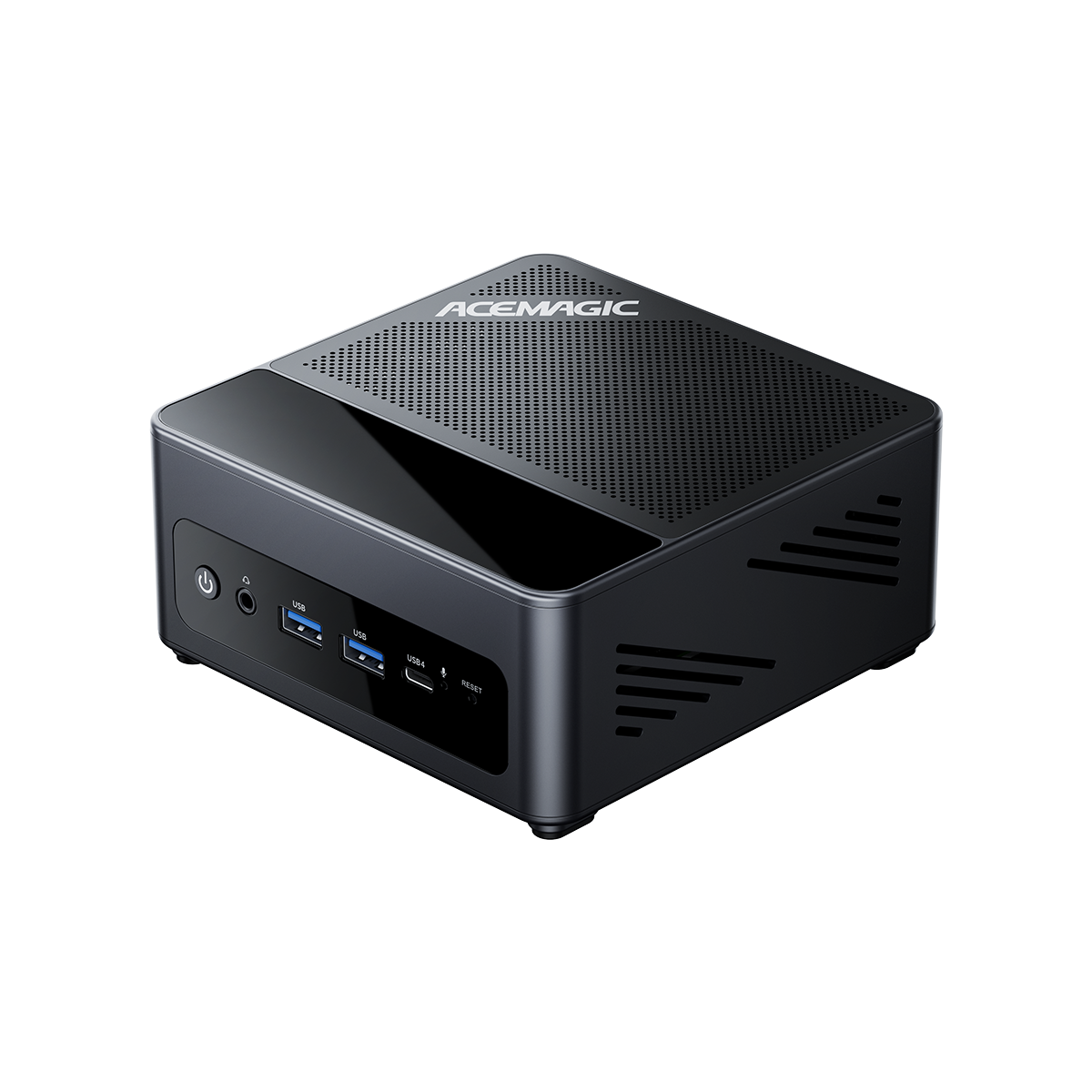
A compact Ryzen AI 9 HX 470 Mini PC with user-upgradable DDR5 memory up to 128 GB. Start with 32 GB and expand as your local AI workload grows — without the soldered memory limitation of unified memory platforms.
View ProductACEMAGIC F5A Video Review
Specs only tell part of the story. If you're considering the F5A as an upgradeable 128 GB Mini PC, this hands-on review is worth a look.
Can Strix Halo Support 256 GB?
No. Current Strix Halo configurations are offered with up to 128 GB LPDDR5X unified memory. The memory is soldered, so users cannot upgrade a 64 GB or 96 GB configuration to 128 GB later — and Strix Halo 256 GB is not available on this platform.
If you need more than 128 GB for local AI, the realistic path is a multi-GPU workstation or a dedicated AI server. For the vast majority of Strix Halo Mini PC users, 128 GB is already well beyond what most workloads require.
If you want a 128 GB Mini PC with upgradeable memory rather than soldered LPDDR5X, conventional SO-DIMM platforms like the F5A offer a different approach — starting at 32 GB and expanding later as needed.
Who Should Buy Strix Halo 128 GB?
Choose 64 GB if you:
- Primarily run 7B to 14B models for chat and coding
- Use short context windows (4k to 8k tokens)
- Run one model at a time, not a full AI stack
- Want the most cost-effective entry into Strix Halo
Choose 96 GB if you:
- Occasionally run 32B models at Q4 quantisation
- Maintain a small RAG pipeline with one LLM and one embedding model
- Work with medium context windows (8k to 16k tokens)
Choose 128 GB if you:
- Regularly run 32B+ models or 100B+ MoE models
- Need Q8 quantisation for higher-quality output on large models
- Run multiple AI models, embedding models, and vector databases simultaneously
- Process long documents with 32k to 64k context windows
- Want a no-compromise local AI workstation in Mini PC form
Strix Halo 128 GB is worth it when memory capacity is your bottleneck. If you find yourself unable to load a model, running out of memory when extending context, or forced to close one model to open another, 128 GB directly solves those problems. If you have never hit a memory ceiling with your current AI workflow, 64 GB remains the smarter buy.
For users who want the flexibility of upgradeable memory rather than soldered LPDDR5X, a DDR5 SO-DIMM system like the ACEMAGIC F5A offers a different path: start with 32 GB, expand to 128 GB when your workload demands it.

Frequently Asked Questions
Is Strix Halo 128 GB worth it for local AI?
For most people, probably not. If you're mainly using 7B–14B models, 64 GB is already plenty. The 128 GB version starts to make sense when you're regularly loading 32B-class or larger models, pushing context lengths higher, or keeping several AI workloads running at the same time.
Can Strix Halo run 70B LLMs locally?
Strix Halo can run quantised 70B-class models using Q4 or lower quantisation, which requires roughly 40 to 45 GB for model weights alone, before accounting for KV cache and OS overhead. A 128 GB configuration handles this with substantial remaining capacity. Performance will be slower than a multi-GPU workstation due to the ~256 GB/s bandwidth ceiling, but the model loads and runs — which is not possible on most consumer GPUs with 24 GB VRAM or less without layer offloading.
Is 64 GB enough for LLM local on Strix Halo?
64 GB is enough for running 7B to 14B models at Q4 quantisation with standard context windows (4k to 8k). It can also handle the 30B-A3B MoE model. However, 32B dense models at Q8 (approximately 35 GB for weights alone) leave limited headroom for OS and KV cache, and the 122B MoE model cannot fit. If you plan to work with larger models, 96 GB or 128 GB is recommended.
What is the difference between Strix Halo 64 GB and 128 GB?
The difference is memory capacity, not speed. For the same model and workload, both configurations have broadly similar memory-bandwidth-limited inference performance — the 128 GB configuration does not inherently generate tokens faster. The 128 GB advantage is about what you can load: larger models, more models simultaneously, and longer context windows. If your models fit in 64 GB, there is no performance benefit to 128 GB.
Strix Halo 128 GB vs DGX Spark: Which Is Better for Local AI?
Strix Halo 128 GB and DGX Spark both offer 128 GB of unified memory, but they use very different hardware and software platforms. Strix Halo is a more versatile Mini PC, while DGX Spark is designed specifically for AI development and benefits from NVIDIA's CUDA ecosystem. For local AI, the better choice depends on your models, software, and workload.
For a broader comparison of DGX Spark, Strix Halo, and 192GB-class Gorgon Halo systems, see our guide to DGX Spark vs Strix Halo vs Gorgon Halo.
Does Strix Halo's 128 GB unified memory mean the GPU can use all 128 GB?
Not exactly. Strix Halo uses a unified memory architecture where CPU and GPU share the same physical memory pool, but the actual capacity available for GPU or AI workloads depends on operating system reservation, firmware configuration, UMA allocation settings, and runtime memory demands. A significant portion is available for inference, but it is not equivalent to having 128 GB of dedicated GPU VRAM.
Conclusion
For most local AI users, 64 GB is still the sensible starting point.
Move to 96 GB if you're getting serious about 32B-class models and want more room for context and background workloads. Go all the way to 128 GB if large models, high-precision quantisation, long-context workloads, or multiple models are already part of your daily workflow.
The important thing to remember is that 128 GB isn't a performance setting. It doesn't make a model faster simply because the number is larger. What it does is remove the point where you have to ask, “Will this model actually fit?”
And if upgradeability matters more to you than maximum memory bandwidth, the ACEMAGIC F5A is worth considering. It won't match Strix Halo's GPU or memory subsystem, but its SO-DIMM design gives you something Strix Halo doesn't: the ability to buy less memory today and add more later.
Looking for an upgradeable 128 GB Mini PC?
View ACEMAGIC F5AReferences
- AMD. "AMD Ryzen AI Max+ 395 Processor Specifications." Accessed August 28, 2026. amd.com/en/products/processors/laptop/ryzen/ai-max-series.html
- AMD. "AMD Ryzen AI 9 HX 470 Processor Specifications." Accessed August 28, 2026. amd.com/en/products/processors/laptop/ryzen/ai-300-series.html
- r/LocalLLaMA Community. "Some Qwen 3.5 benchmarks on Strix Halo and llama.cpp." Community benchmark logs, 30k context, ROCm 7.2 / Vulkan. Accessed August 28, 2026. reddit.com/r/LocalLLaMA/comments/1re9h4r
- kyuz0. "AMD Strix Halo Toolboxes." ROCm 7.2 setup guides and llama.cpp build configurations. Accessed August 28, 2026. github.com/kyuz0/amd-strix-halo-toolboxes
- ServeTheHome. "AMD Ryzen AI Max 300 Series (Strix Halo) Review." Accessed August 28, 2026. servethehome.com