Best Mini PC UK: A Beginner’s Buying Guide
Looking for a mini PC for your home office, a family desk or an ageing desktop replacement? This guide compares ACEMAGIC’s UK configurations by everyday use, upgrade options and total setup cost.
This beginner's buying guide compares ACEMAGIC UK configurations by everyday use. It explains the hardware, shows what each step up in pounds buys, and highlights what to check before ordering from acemagic.uk. These are brand-specific buying examples, not a hands-on comparison of the entire UK market.
Quick answer: A mini PC can be a practical first computer if you already have a monitor, keyboard and mouse. For basic tasks, check the complete K1 configuration rather than its starting price. AM18 offers replaceable memory for office work; F5A and F2A suit more demanding requirements. Match gaming and local AI choices to your actual software, then check the selected ACEMAGIC UK option, total price and delivery estimate before paying.
What is a mini PC?
A mini PC is a desktop computer in a small enclosure. A complete configuration includes the processor, memory and storage for your applications; a barebone kit may omit some of those parts. You normally need a separate monitor, keyboard and mouse. Check that the power adapter and a suitable UK mains lead are included.
The CPU is the processor inside it. That distinction matters because a CPU name does not tell you what comes with the finished system.

Which mini PC fits your needs?
Find your daily use, then follow the matching guide.
| Your main use | Start here | The decision that matters most |
|---|---|---|
| Browsing, lessons and household tasks | K1 budget guide | Compare the exact K1 CPU and memory; the starting price is another configuration |
| Meetings, spreadsheets and multiple screens | AM18 business guide | AM18 has replaceable RAM and costs less than the selected K1 5825U |
| Retro games and a shared entertainment PC | Retro comparison and F5A alternative | Compare Retro X3 and X5; check stock on the product page, or weigh F5A H 255 against your games |
| Video projects and demanding applications | F5A and F2A guide | The available F5A HX 470 complete build is £90 less than F2A |
| A television that doubles as a family computer | M1 home theatre guide | The UK M1 adds memory, but its selected SSD is 512GB |
| Downloaded AI models running on your computer | Advanced local AI guide | Choose 128GB or 192GB around model and software requirements |
If you regularly need a computer without a separate monitor, keyboard, and mouse ready for you, choose a laptop instead. A mini PC is easy to carry between two equipped desks, but it still needs those accessories and power when you arrive.
Configurations, prices and order availability were checked on 27 October 2026 using the UK store's published options. Examples are specifications, not hands-on test results. Prices are in GBP before any unverified voucher. Availability does not by itself mean immediate dispatch; pre-orders are identified separately. Confirm VAT display, delivery charges, supplied accessories and the final amount for your postcode at checkout. Browse the ACEMAGIC UK mini PC collection for current options.
Which mini PC CPU should you choose?
Choose by the complete CPU model and your workload.
Use the full model name, including its suffix. Ryzen 7 and Core i7 are broad labels; generation, chip design, power, and cooling decide real performance.
More cores help software that uses them; they do not speed every everyday task. For long exports, trust whole-system tests—the same CPU can behave differently in two chassis.
Before picking Intel or AMD, confirm that your apps, plug-ins and peripherals support the operating system. For Linux, check Wi-Fi, audio and sleep on the exact model; the UK Linux mini PC guide covers those checks. A supported CPU alone does not prove that the whole PC works with your distribution.
Which mini PC specs matter?
Buy enough capacity for the tasks you do every day.
Four listing terms matter: CPU (apps), GPU (graphics/acceleration), RAM (active work), and SSD (files). Skip the biggest number in every column—buy enough of each for your work.
Is 16GB RAM enough for a mini PC?
Yes, for many everyday workloads. Whether 16GB is enough depends on what you run together. The DDR5 and LPDDR5X memory guide also explains why memory design matters when planning upgrades:
- 16GB: baseline for documents, browsing, and meetings.
- 32GB: for larger creative projects and heavy multitasking.
- More than 32GB: buy based on a named software or project need.
If you already own a PC, compare memory use in normal work with your software's recommended requirements.
Fixed RAM or upgradeable RAM?
Soldered (fixed) RAM cannot be upgraded later as a normal user change. Replaceable modules let you change capacity within model limits.
| Memory design | What it means | Choose it when |
|---|---|---|
| Soldered / fixed RAM | Installed capacity is the amount you keep | That amount covers your expected work |
| Upgradeable RAM | Compatible modules can be replaced or added within slot limits | You have a realistic reason to add capacity later |
Check shipped config too: a two-slot system may arrive with one module. AM18 recommended later ships with a single 16GB stick.
How much SSD storage do you need?
512GB suits modest applications and documents. Games, footage and AI downloads can make 1TB or more useful, but leave room for updates and temporary files at either capacity. The storage section of the UK student computer buying guide offers another starting point for planning space.
For expansion, check slot, drive length, connection type, and capacity. M.2 is a form factor—not every NVMe and SATA drive is interchangeable. Extra internal space helps daily work; important files still need an independent backup.
Do you need a dedicated GPU?
Integrated graphics share system memory; a discrete GPU usually has its own VRAM. Compare results in your app, not the category label. Match games by title, resolution, and settings; for creative work, check GPU support in the software. At a desk, connecting the screens you own often matters more than extra graphics power. Gaming scores and output labels answer different questions—see the listing checks below.
Best budget mini PC options in the UK
Compare complete configurations, not just the lowest price on the page.
A cheap mini PC is good value only if it includes the parts you need. The UK K1 page starts at £159 for an Embedded R2544 with 8GB RAM and a 256GB SSD; that is not the Ryzen 7 model in its title. The two 16GB + 512GB options below are more suitable starting points for the everyday workloads discussed here.
Which K1 should you buy?
For lessons, email and household paperwork, compare the K1 Ryzen 5 7430U at £329 with the Ryzen 7 5825U at £359. The 7430U has six cores and twelve threads; the 5825U has eight cores and sixteen threads. Both selected UK options include 16GB fixed memory and a 512GB SSD. The 7430U is a pre-order, with the page currently estimating dispatch around 30 October; confirm that timing before ordering.

| K1 option (UK) | Included memory and SSD | UK price |
|---|---|---|
| Ryzen 5 7430U — pre-order | 16GB and 512GB | £329 |
| Ryzen 7 5825U | 16GB and 512GB | £359 |
The extra £30 buys two more CPU cores, which may help software that uses them, but does not add RAM or storage. Both selected configurations have fixed memory. Choose another model if you already know that 16GB will not cover your work.
The K1 7430U is the lower-priced 16GB option if its dispatch estimate works for you.
Compare the K1 7430U pre-order and the K1 Ryzen 7 5825U configuration with your required delivery timing and upgrade plans in mind.

Best mini PC for business and home office work
For meetings, spreadsheets and multiple screens, the AM18 Ryzen 5 7640HS is the UK business shortlist when ports, replaceable RAM and wired networking matter. Compare its connections with your monitors, webcam, headset and external drives. Browse other complete office configurations on the UK store if those requirements differ.
The selected AM18 costs £349 with 16GB DDR5 RAM and a 512GB SSD. Its UK specification lists HDMI, DisplayPort, USB4, dual 2.5GbE and two memory slots supporting up to 96GB. Check the installed module layout before buying additional RAM; do not assume that every two-slot system arrives with both slots occupied.
Those features help real business needs: joining video calls with extra screens, keeping spreadsheets and browser tabs responsive, plugging in a webcam or headset, and using USB4 when a dock or fast drive is part of the setup. Match each screen's input, resolution, and refresh rate to an output and suitable cable.

Against the £329 K1 7430U, the AM18 costs £20 more for a newer CPU platform, Radeon 760M graphics, replaceable RAM and the listed connectivity. Against the £359 K1 5825U, it is £10 less. For an equipped home office, that makes AM18 worth comparing before paying more for the Ryzen 7 label alone.
Does that fit your desk? Check the selected AM18 Ryzen 5 7640HS configuration and its current dispatch estimate in the card below.

Best mini PC for gaming: Retro X3, X5 or an available alternative?
Pick your games before choosing between X3 and X5.
Shopping for retro gaming or recent PC releases? Write down the games, emulator, resolution and settings before selecting a chassis. Streaming from a service or another PC is different again: the remote machine renders the game, so decoding, network quality, and controls matter. The UK mini PC emulation guide helps frame the questions for retro titles.

| Your gaming plan | Decide first | Look before buying |
|---|---|---|
| Retro or emulated games | System, emulator, and titles | Results for those games and that emulator |
| Competitive PC games | Resolution, settings, and frame rate goal | Tests using the same configuration and settings |
| Demanding recent games | Acceptable image quality and performance | Sustained tests, including upscaling settings |
| Streaming from a service or another PC | Service, stream quality, and controls | Network, decoding, and input behaviour |
These are the UK Retro listings. Compare the X3 and X5 configurations on the shared product page, then check current stock, restock, or the order window before paying:
| Specification | Retro X3 | Retro X5 |
|---|---|---|
| Processor | AMD Ryzen 7 H 255 | AMD Ryzen AI 9 HX 370 |
| CPU cores/threads | 8 / 16 | 12 / 24 |
| Integrated graphics | Radeon 780M | Radeon 890M |
| RAM | 16GB | 32GB |
| SSD | 512GB | 1TB |
| UK listed price | £429 | £1,119 |
The two Retro variants share one UK product page. The X5 listing is £690 above X3 and adds the HX 370 platform, 32GB RAM and a 1TB SSD. Temporary stock gaps happen; check that page for current stock, restock, or the order window before paying — purchase opens there when units return.
As an optional alternative, the F5A Ryzen 7 H 255 is £459 with Radeon 780M graphics, 24GB fixed RAM and a 1TB SSD. That is £30 above the X3 listing for 8GB more memory and twice the SSD capacity. It is a different chassis, so check tests of your actual games rather than assuming identical performance from the graphics name.
For demanding games at high image settings, compare a tower with a suitable discrete graphics card. Include its complete cost and upgrade options. If you prefer an external GPU, count the dock, card, power supply, cables, and desk space as well as the small computer.
Prefer the Retro design? Use the X3/X5 card below and confirm stock or the order window on the product page. Want an in-stock path with similar H 255 graphics and more RAM plus SSD? Compare the F5A H 255 card next.


Which mini PC should you choose for video editing?
Let your projects decide the memory and ports you buy.
Will your editing PC handle the projects you actually make? A short family video and a paid project with several tracks deserve different budgets. For a mini PC for video editing, bring three details to the comparison: your editor, footage format, and a typical timeline. Resolution alone leaves too much out.
Adobe's Premiere requirements list 16GB recommended RAM for HD media and 32GB or more for 4K and higher. Use the requirements for your software version and include its graphics and driver needs.

| Your project | Priority | A reason to increase the budget |
|---|---|---|
| Short clips and simple cuts | Supported software, footage, and smooth preview | A real project misses your playback or export needs |
| Several tracks or frequent 4K work | Memory, supported decoding, and working storage | Capacity or turnaround becomes a regular limit |
| Heavy effects and strict deadlines | Tested GPU support and sustained performance | The task needs a different graphics or memory configuration |
The UK F2A currently offers an Intel Core Ultra X7 358H option with 32GB LPDDR5X and a 1TB SSD at £959. The available F5A HX 470 complete build has 32GB DDR5 in two modules and a 1TB SSD at £869. Its lower headline price of £459 belongs to a different H 255 configuration, not this HX 470 build. Compare the exact complete systems:
| Specification | F2A Intel X7 358H | F5A Ryzen AI 9 HX 470 |
|---|---|---|
| RAM | 32GB LPDDR5X, fixed | 32GB DDR5 (2 × 16GB), replaceable |
| Included SSD | 1TB | 1TB |
| CPU / graphics | Intel X7 358H / Arc B390 listed | Ryzen AI 9 HX 470 / Radeon 890M |
| Expansion check | Confirm mini PC port and slot specification | Dual USB4 and OCuLink listed; check slot layout |
| UK selected-variant price | £959 | £869 |
The F5A HX 470 combines twelve CPU cores and twenty-four threads with Radeon 890M integrated graphics. Its available UK 32GB DDR5 configuration supports memory upgrades, unlike the unavailable 32GB LPDDR5X option. Confirm the slot layout and storage bandwidth for the chosen memory version before planning additional working drives.
F5A is £90 less than F2A for the selected 32GB + 1TB complete builds. This reverses the assumption that you must spend more for F5A expansion. The extra £90 for F2A buys the Intel platform and its listed Arc graphics, not more installed memory or SSD space; pay it when your editor, codecs and tested workflow justify that choice.
F5A is the lower-priced complete editing option in this UK comparison and offers replaceable RAM. F2A is the Intel alternative when your software favours that platform. Its selected option lists 32GB, but confirm the supplied mini PC memory and ports before ordering. Neither price nor a CPU label proves smoother playback: use representative footage and tests in your editor.
For coding or demanding multitasking, count the memory used by your editor, browser, virtual machines and background services together. If 32GB is already too little, the replaceable-memory F5A deserves attention. For a more demanding workstation, review the UK gaming and performance mini PC range against your software requirements.
Compare the available F5A HX 470 with 32GB DDR5 and 1TB SSD after counting the drives and connections you need.
Or choose the F2A Intel X7 358H configuration when the Intel platform fits your software, and the additional £90 is justified — use the card below.


Which mini PC works best for home theatre and family use?
Choose for the files, apps, and controls you will use.
Want the television to do more than stream a show? A mini PC for home theatre is useful when you also want local files, PC applications, or a shared family computer. If streaming is the whole job, your TV's apps or a streaming device may already give you the simpler sofa experience.
The UK M1 example is the Ryzen 7 7735HS with 24GB fixed LPDDR5 and a 512GB SSD at £479. Its specification lists Radeon 680M graphics and HDMI, DisplayPort and USB-C video outputs up to 4K at 60Hz. The purchasable option specifies 512GB even though a general specification table mentions 1TB; confirm the selected order line rather than assuming the larger SSD is included.
Compared with the £329 K1 7430U, the M1 costs £150 more and adds 8GB of RAM plus the 7735HS/680M platform; both selected options have 512GB storage. Against the £359 K1 5825U, the difference is £120. The premium does not double your storage, so choose it for the applications and graphics requirements you actually have.
M1 is worth comparing for a shared family computer that benefits from 24GB memory, rather than for streaming alone. Also weigh it against the £459 F5A H 255: that option is £20 less and includes 24GB RAM plus a 1TB SSD. Check the outputs, dimensions, and noise evidence that matter to the room before deciding.
For playback, check the whole chain:
- Content and software: your streaming service or local file, player, and supported formats.
- Picture and sound: the PC output, cable, television, receiver, and required HDR or surround-sound support.
- Controls: a keyboard or remote that works from the sofa, plus usable wake behaviour.
Leave ventilation around the PC, including when it sits behind a television. Test the picture, audio, and controls together before calling the setup finished.
Review the selected M1 24GB + 512GB UK configuration if its memory capacity and display connections match your family setup — details are in the card below.

What to know before buying a mini PC in the UK
Choose the computer that fits where you really work.
Mini PC vs laptop: which should you get?
| Computer type | A good fit when | Check before buying |
|---|---|---|
| Mini PC | You have a fixed desk or move between equipped desks | Screen, keyboard, mouse, cables, and upgrade limits |
| Laptop | You need to work without a separate screen or mains power | Battery life, carrying weight, and built-in screen |
| Tower desktop | You want room for a large GPU or more components | Case space, power supply, cooling, and part compatibility |
For a mini PC vs laptop decision, focus on where you work. For a mini PC vs desktop comparison, focus on what you expect to upgrade. If you are considering Apple silicon too, the UK Mac mini versus Windows mini PC comparison covers platform, upgrade, and complete-cost differences.
- Choose a mini PC when compact size suits an equipped desk.
- Choose a laptop when the screen, keyboard, and battery need to travel with you.
- Choose a tower when component expansion matters more than saving space.
What will you use it for?
Think about a busy Tuesday, not the biggest task you might try once a year. Perhaps that means a meeting, a spreadsheet, browser tabs, and messaging all open together. If you play games, write down their names and your preferred resolution. If you edit video, note the software and a typical project.
Separate requirements from preferences. Enough memory for an essential application comes before case colour or a discount.
How do you make a fair mini PC comparison?
Compare the complete setup, not just the sale price.
Keep the exact CPU, installed RAM, SSD and operating system beside every price in pounds. A barebone mini PC and a complete computer are different purchases: the kit may need compatible memory, storage and a Windows licence before it can replace your old PC. A low starting price can also belong to a different CPU on the same listing.
| Compare this | Write down | Your reason to rule it out |
|---|---|---|
| CPU and graphics | Exact chips and relevant application tests | Required software or performance is unsupported |
| Memory | Installed capacity and upgrade options | Too little capacity with no workable upgrade |
| Storage and system | Included SSD, available slots and Windows licence | Missing parts push the full cost beyond budget |
| Displays and accessories | Outputs, cables, peripherals and UK mains lead | Your existing setup cannot connect properly |
| Price and delivery | Selected configuration, VAT display, postcode and dispatch estimate | The final cost or timing does not fit |
What should UK buyers check before ordering?
Check these five items for your selected configuration:
- Complete configuration: confirm the CPU, installed RAM and SSD, and whether the option is a barebone kit.
- Windows: check whether Windows 11 and the applicable licence are included; a model title does not establish what every variant contains.
- Final amount: check VAT display, delivery charges, discounts and any additional charges applicable to your address.
- Power and accessories: confirm a UK-compatible mains plug, the supplied power adapter and required display cables; include any monitor, keyboard or mouse you still need.
- Delivery and support: check postcode coverage, dispatch timing, any pre-order status, the returns process and the UK-store support contact.
Reuse equipment you already own before adding optional accessories to the budget. The UK shipping policy currently describes free delivery and a 3–7 business-day UK estimate, with different timing for pre-sales. Treat that as an estimate and confirm availability for your postcode and selected configuration.
The best budget mini PC is the complete setup that meets your needs. A cheap mini PC can become more expensive once you add missing memory, storage, Windows or a display. Compare the total in pounds with a laptop or desktop bundle if you need all the peripherals from scratch.
Which specs are easy to misread?
Two small listing details can cause a frustrating first setup. USB-C describes the connector shape; check the particular port for video, USB4 speed, and power-input support. Likewise, a 4K output label describes a display mode, not 4K game performance or streaming-service compatibility. Match the PC, cable, display, and intended use. USB-IF explains USB-C terminology.
Upgradeable should identify a part: memory, SSD, or something else. Quiet should identify a workload and operating mode. A benchmark should identify the tested configuration and settings. Those details turn a marketing label into something useful for your decision.
What should you test after delivery?
Try your real work while return options still apply.
The first few days are your chance to find out whether the PC fits your life. Save the selected configuration and order confirmation, then check the reported CPU, RAM, SSD, and operating system on arrival. After that, try your normal day rather than relying only on a benchmark.
| Your use | Try this | Watch for |
|---|---|---|
| Business | Join a meeting with your regular applications and monitors | Responsiveness, audio, video, and sleep or wake behaviour |
| Games | Play a target title at your chosen settings | Frame rate behaviour, stutter, and fan noise |
| Editing | Preview and export a representative project | Playback, export time, and memory pressure |
| Home theatre | Use the real service or file through the TV and audio setup | Picture, sound, controls, and wake behaviour |
| Local AI | Run the chosen model with your intended settings | Memory use, response speed, and software behaviour |
Keep the packaging and record reproducible problems for support. Check the cable, display mode, driver, and application settings when isolating a fault.
The UK-store warranty policy currently describes two-year coverage for eligible official-store purchases. Read its exclusions and start-date conditions, particularly for pre-orders or business purchases, rather than assuming every order has identical cover.
Read the UK returns policy and confirm the applicable return window, its start date, the return address, and shipping responsibility with service@acemagic.com before ordering. The UK refund and warranty pages describe different windows, so obtain written clarification for your order instead of applying a US-store rule.
Frequently Asked Questions
Clear up the questions that can hold up a purchase.
Are mini PCs worth it as a first computer?
They can be, especially at a fixed desk where you already own the monitor and accessories. Compare the tasks they need to handle and the complete UK setup price. A laptop is usually simpler when its screen, keyboard and battery need to travel with you.
Can a mini PC replace a desktop?
Yes, a suitable configuration can be your main computer for everyday applications. A tower deserves a closer look when you need frequent processor or graphics upgrades, expansion cards, or demanding GPU performance. Compact size is a useful benefit when the complete setup still fits your workload.
Does a mini PC come with Windows 11?
Many complete mini PC configurations include Windows 11, but check the exact UK option and its licence. A barebone mini PC may omit RAM, storage and the operating system. Do not assume that Windows 11 in a listing title covers every variant. A complete configuration is usually easier for a first-time buyer to budget and set up.
Can I use my laptop as a monitor?
Most laptop HDMI ports send a picture out rather than accept one. A direct HDMI cable usually will not turn that screen into a monitor for the mini PC. Remote desktop or a capture device can be alternatives, with setup and latency tradeoffs. For ordinary desk use, a compatible monitor is simpler.
Do mini PCs overheat easily?
Small size alone does not tell you whether a PC will overheat. Cooling design, power settings, workload, and airflow all matter. Keep vents clear and look for sustained-load reviews of the exact configuration. Repeated shutdowns or temperature-related performance problems deserve investigation; fan noise alone is not an overheating diagnosis.
How long do mini PCs last?
There is no dependable lifespan figure for the whole category. Build quality, cooling, maintenance, and your changing software needs affect how long a machine remains useful. Check warranty and replacement-part support, and keep independent backups rather than relying on any expected lifespan.
Can a mini PC run two or three monitors?
Yes, if the exact model supports that many displays at the same time. Confirm its simultaneous-display limit and each output's resolution and refresh rate. Three connectors do not automatically guarantee your preferred three-screen setup. Once connected, use the Windows display settings to extend the desktop; Microsoft explains the setup steps.
Are mini PCs good for streaming?
For watching video, a compatible mini PC can work well. Check your service, browser or app, internet connection, and display chain. For example, Netflix lists specific Windows playback requirements, including extra conditions for 4K. Broadcasting your own gameplay is a different workload: check your streaming software's encoder support and performance while the game is running.
Can you add a dedicated GPU to a mini PC?
Sometimes, through a compatible external GPU setup. Most compact models do not have the space or expansion slot for a desktop graphics card inside. External options can use a supported Thunderbolt, USB4, or OCuLink connection, but confirm the PC, enclosure, graphics card, drivers, and operating system work together. A USB-C connector alone is not enough. Include the dock, card, power supply, and cables in the cost.
What should UK buyers check before paying?
Check the exact configuration, and whether it is complete or bare-bone, the included Windows licence, VAT and delivery charges, UK-compatible power accessories, dispatch timing and the returns process. Confirm the final amount and postcode coverage before paying.
Which mini PC for local AI?
Match local models to supported memory and software.
Using AI in a browser? Buy for your everyday applications. A local AI mini PC runs downloaded models on the computer itself, and the large-memory options below are for workloads that need that capacity. The AI TOPS and NPU guide explains why a headline AI number is not enough to select the system.
The UK M1A PRO+ Ryzen AI Max+ 395 option is £2,899 with 128GB unified memory and a 2TB SSD. The store lists sixteen CPU cores, thirty-two threads, and Radeon 8060S graphics. Select that exact variant: the same product page also contains an Intel configuration at a lower price. Unified memory is shared with the operating system and is not reserved exclusively for one AI model.
For example, do not assume a 120GB model download will fit comfortably on a 128GB system. The operating system, background services, and AI software need memory too. Check the software's memory estimate for your settings; file size alone does not tell you the full requirement.
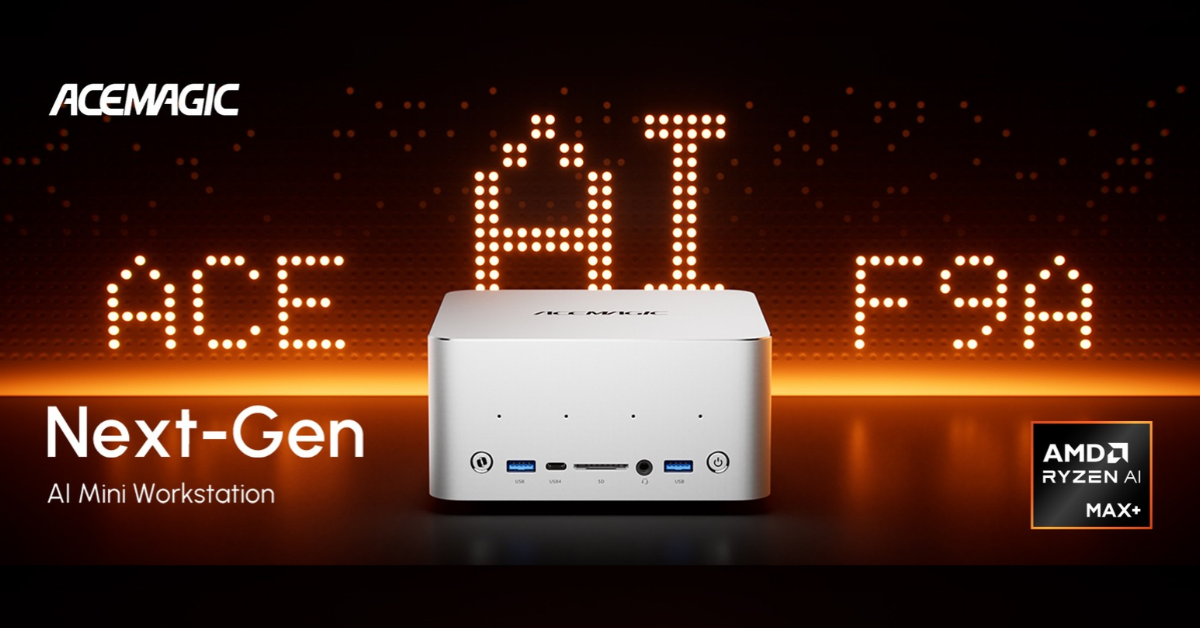
The F9A Ryzen AI Max+ PRO 495 option is £5,999 with 192GB memory, Radeon 8065S graphics and a 2TB SSD. It is orderable as a pre-order with a late-October estimate, so confirm dispatch before paying. The UK 395 versus PRO 495 comparison explains the capacity difference; it does not establish that every model works with every backend.
The UK price difference is £3,100 for 64GB more installed memory plus the 495 platform. Choose 395 when its capacity and software support cover your workload; investigate 495 when a named model or concurrent workload needs the larger pool. Neither the price difference nor the extra memory guarantees faster responses.
Before buying either, identify the model and the software that will run it. Confirm support, required memory, and an acceptable response time. A model that fits in memory may still be too slow for your intended task. A large TOPS figure does not settle those questions.
With your model, quantisation and software requirements in hand, compare the M1A PRO+ 395 128GB + 2TB configuration.
Or check the F9A PRO 495 192GB + 2TB pre-order and its current dispatch estimate.
Which mini PC should you choose?
Choose a useful fit, then check the complete UK order.

The best mini PC UK buyers choose should fit their daily tasks, existing equipment and full budget in pounds. Within the ACEMAGIC UK options checked here, pay more only when the additional memory, platform or connections solve a need you can name:
- Everyday use: K1 7430U is £329 for 16GB + 512GB on pre-order; K1 5825U is £359 with the same capacities. Check whether AM18 at £349 is the better buy for its replaceable RAM.
- Business: AM18 combines 16GB + 512GB with dual 2.5GbE, USB4 and a memory upgrade path, without paying more than the selected Ryzen 7 K1.
- Gaming: Compare Retro X3 (£429) and HX 370 X5 (£1,119) on the shared product page and check stock, restock, or the order window before paying. The F5A H 255 is £459 for 24GB + 1TB as an available alternative; check game-specific results rather than buying on the GPU name alone.
- Video editing: F5A HX 470 is £869 for 32GB replaceable DDR5 + 1TB, £90 less than the £959 Intel F2A 32GB + 1TB option. Choose around your editor and footage.
- Home theatre: M1 is £479 for 24GB + 512GB. F5A H 255 is £20 less with the same memory capacity and a larger 1TB SSD; compare the room, outputs and actual noise evidence.
- Local AI: M1A PRO+ 395 is £2,899 for 128GB + 2TB; F9A PRO 495 is £5,999 for 192GB + 2TB on pre-order. Browser-based AI does not create the same memory requirement.
If two options still look close, that is normal. Return to the difference you will actually use, rather than paying more just to settle the decision.
Before ordering, confirm the selected CPU, RAM, SSD, Windows licence, VAT display, delivery total, UK mains accessories and dispatch timing. Use the checkout checklist above, including the support and returns checks, to finish the comparison.
Ready to narrow it down? Revisit the configuration link in your main-use section or browse the current ACEMAGIC UK mini PC collection with your checklist beside you. Confirm current prices rather than relying on an expired promotion.